SozoTelos is a single app that holds your whole life — what you eat, how you move, what you read, and how you're doing on the inside. Tap any section below to see what it tracks.
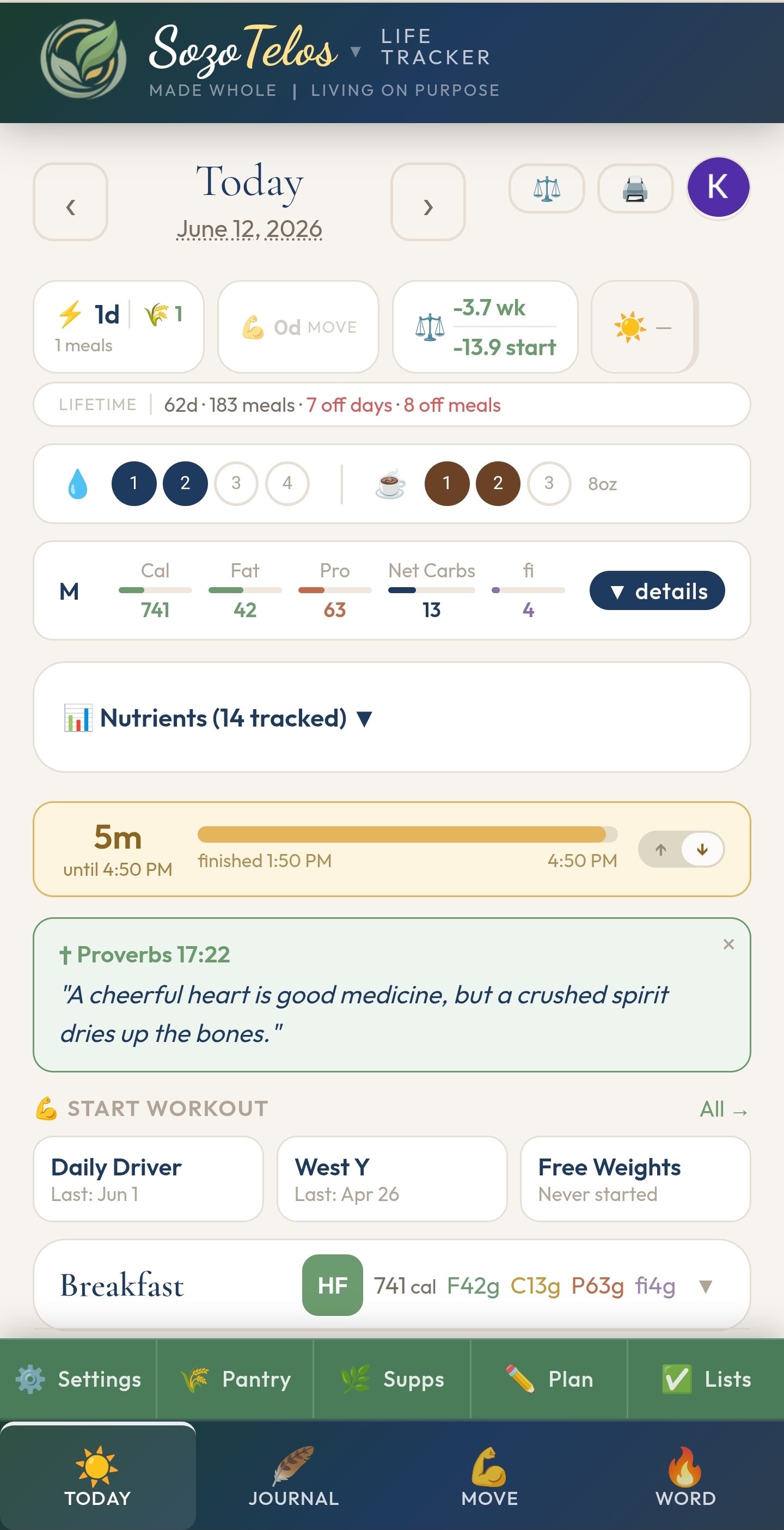
Log what you eat each day using the USDA food database, your own saved foods, or recipes you've built yourself. The app tracks macros, fiber, and fuel-type balance — and lets you plan meals ahead so the day has a shape before it starts. Your pantry holds the foods you return to regularly, making logging faster over time.
Meal Logging
Log meals by food item with full macro and micronutrient detail. Mark fuel types (S, E, FP, XO) for FSM-style eating awareness.
Pantry
Save foods you eat regularly. Pull from your pantry directly when logging so you're not searching the database every time.
Recipes
Build recipes from individual ingredients. Log a whole recipe as a single meal entry, with macros calculated automatically.
Meal Planning
Plan meals for the week ahead. See what you intended vs. what you actually logged, side by side.
Health Reports
Print-ready reports covering nutrition, glucose, weight, exercise, supplements, sleep, and mood. Choose your date range and which sections to include. An AI summary highlights patterns and key points.
Streaks
On-plan eating and gluten-free streaks tracked automatically. Lifetime stats show your full picture from day one.
The app tracks the workouts you design — it doesn't generate them for you. You decide your routine, build it in the app once, and then log your sessions against it. Strength work, cardio, or anything in between — if you can describe it, you can track it here.
Strength Logging
Build your own exercises and routines. Log sets, reps, and weight as you go. Your history is there whenever you want to compare.
Cardio Tracking
Log cardio sessions with duration, distance, and notes. Built-in interval timer for timed training sessions.
Progress
See your workout history over time. Sessions, duration, and volume tracked so you can see how consistency adds up.
Movement Streak
A simple daily movement streak to keep momentum visible. You define what counts as a movement day.
The Bible tracker helps you follow your own reading — not a prescribed plan. You set the pace, the order, and the scope. The app records what you've read, timestamps each session, and shows your progress across all 66 books. If you want something to engage with, each chapter has a brief intro with cultural and theological context. Notes and reflections are entirely optional. Alongside reading, a separate daily journal captures the rest of your inner life.
Bible Reading
Track chapters as you read them. Progress shown across the full Bible. Timestamp each session. Chapter context notes available if you want them.
Reading Notes
Add your own notes to any chapter. On devices with a stylus, write directly on screen. Notes stay with the chapter they belong to.
Prayer
Keep a running list of prayer requests with dates. Mark answers as they come. A quiet record of how God has moved over time.
Daily Journal
Log mood, energy, stress, sleep, symptoms, vitals, and daily notes. Separate from Bible notes — its own space for the everyday.
Reading Streak
A daily Bible reading streak that reflects your actual consistency — not a streak tied to a plan someone else set.
A collection of health-adjacent trackers that don't fit neatly into food or movement — weight trends, blood glucose, supplements, hydration, and the small daily habits that affect everything else.
Weight
Log daily weight. Weekly summaries surface every Sunday. Full history available from the first entry.
Glucose
Log fasting, pre-meal, 1-hour, and 2-hour post-meal glucose readings. Shows up in health reports for provider conversations.
Supplements
Log daily supplements with timing and notes. An AI label reader can scan a bottle photo and extract nutrient data automatically.
Water & Sunlight
Tap-to-log water intake and morning sunlight. Both visible in the daily streak bar so they stay on the radar.
The app runs in any browser and can be installed as a PWA on your phone, tablet, or desktop. Sign in with Google to sync your data across devices. Everything you enter is yours — exportable as a backup at any time.
Cloud Sync
Sign in with Google and your data syncs automatically across every device you use.
Google Calendar
See your calendar events inside the app. Push meals and workouts out to Google Calendar.
Data Export
Export a full JSON backup of your data at any time. Import it back if you need to restore or switch devices.
Installable PWA
Install it to your home screen and it behaves like a native app. Works on iOS, Android, and desktop.